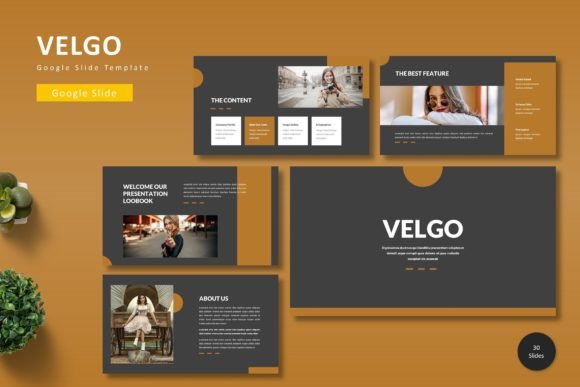
Velgo: A Modern Template for Polished Presentations
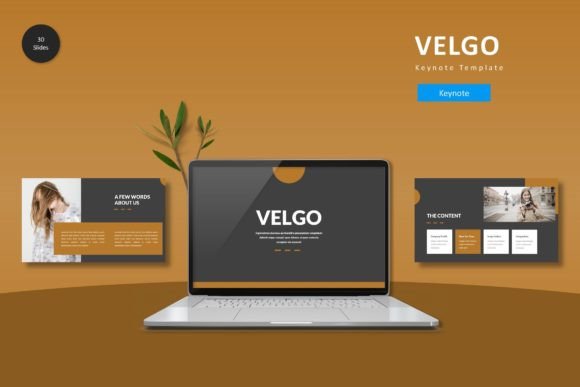
Imagine having a toolkit that transforms your raw ideas into a cohesive, visually stunning narrative. That's the promise of a well-crafted presentation template, and the Velgo - Google Slide Template is designed to deliver exactly that. For professionals, educators, and creatives seeking to elevate their visual communication, this template offers a robust foundation that blends modern design with practical flexibility.
Beyond just slides, Velgo provides a complete design system. It includes over 150 total slides organized across five premade color schemes, giving you 30 unique layouts for each palette. This structure allows you to maintain visual consistency while adapting to different topics or brand guidelines. The inclusion of section break slides and handcrafted infographics means your presentations can guide your audience through complex information with clarity and visual appeal.
Designed for Practicality and Professional Polish
What sets a resource like Velgo apart is its attention to detail. Built on master slides, every element is pixel-perfect and fully editable. You can resize illustrations, drag and drop your own images into placeholders, and utilize dedicated gallery and portfolio slides to showcase work. This level of customization ensures the template serves your project's unique needs, not the other way around.
Consider the scenarios where such a template becomes invaluable:
- Business and Marketing: Crafting investor pitches, marketing plans, or quarterly reports that need to look polished and data-driven.
- Education and Workshops: Designing engaging lectures, workshop materials, or student portfolios that hold attention.
- Creative Portfolios: Presenting design work, photography, or case studies in a clean, professional format that lets the work shine.
- Project Proposals: Creating persuasive proposals that communicate value and clarity from the first slide.
The value of a premium design asset like this extends beyond aesthetics. It saves significant time, eliminates the guesswork of layout design, and ensures a professional standard that might be difficult to achieve from scratch. The right visual framework can enhance your credibility and make your message more memorable.
Integrating Templates into Your Creative Workflow
When selecting a template, think about your project's core message and audience. The Velgo template, with its clean lines and modern typography, suits contemporary brands and forward-thinking topics. Before diving in, review the included color schemes to see which aligns with your brand identity or the mood you want to set.
Here are a few tips for getting the most out of a template like this:
- Customize Strategically: Use the master slides to make global changes efficiently. Swap out colors and fonts to match your brand guidelines for instant consistency.
- Leverage Infographics: Don't just present data; illustrate it. The handcrafted infographics are perfect for making statistics and processes understandable at a glance.
- Maintain Focus: Use the varied slide layouts to break content into digestible sections. A mix of text, image, and graphic slides keeps the audience engaged.
- Check Compatibility: Always ensure the template works seamlessly with your preferred platform—in this case, Google Slides—for a smooth editing experience.
Ultimately, a template is a starting point, not a constraint. It provides the structure and design quality, freeing you to focus on your content and delivery. By choosing a versatile and well-constructed asset, you invest in the clarity and impact of your ideas, ensuring your next presentation looks as professional and thoughtful as the work behind it.